Interface
Active Invasion & Event Notify Access
In EvolutionMu, the action never stops. Thanks to our notification panels, you will be able to track golden monsters and enter your favorite events without wasting a single second looking for NPCs.
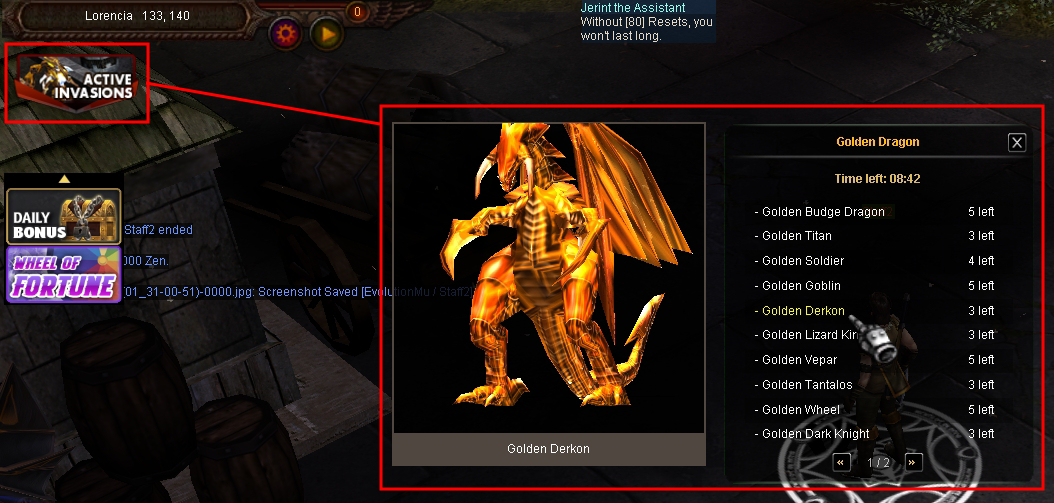
🛡️Active Invasion
When an invasion begins, a special icon will appear in the top left part of your interface. By clicking it, a detailed panel will unfold, allowing you to master the event.-Visualization: You can see exactly which mob is invading.
-Timer: Shows the remaining time of the invasion in the center of the panel.
-Remaining Mobs: Tells you how many monsters are left per map so you know where to go hunting.
🎫Event Notify Access
Is it time for Blood Castle or Devil Square? Don't run to the NPC. When an event opens, a notification will appear in the top left corner.-How to enter: Make sure you have the corresponding ticket in your inventory.
-Quick access: You just have to [Left Click] on the notification icon.
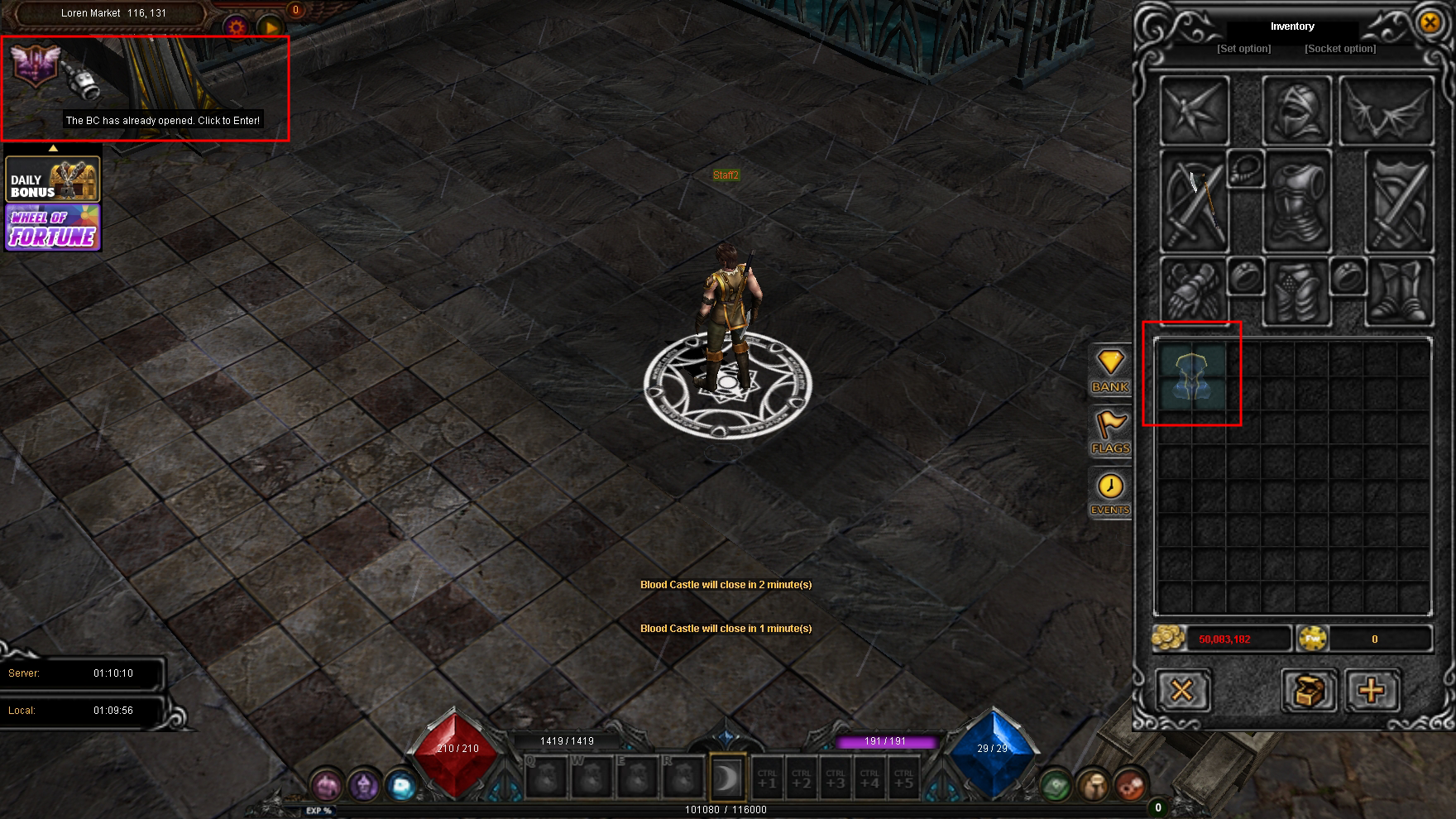
Once you click, the system will automatically teleport you to the event map and remove the ticket from your inventory. Get ready for battle!