To facilitate your gaming experience, we have a list of commands that you can use directly in the game.
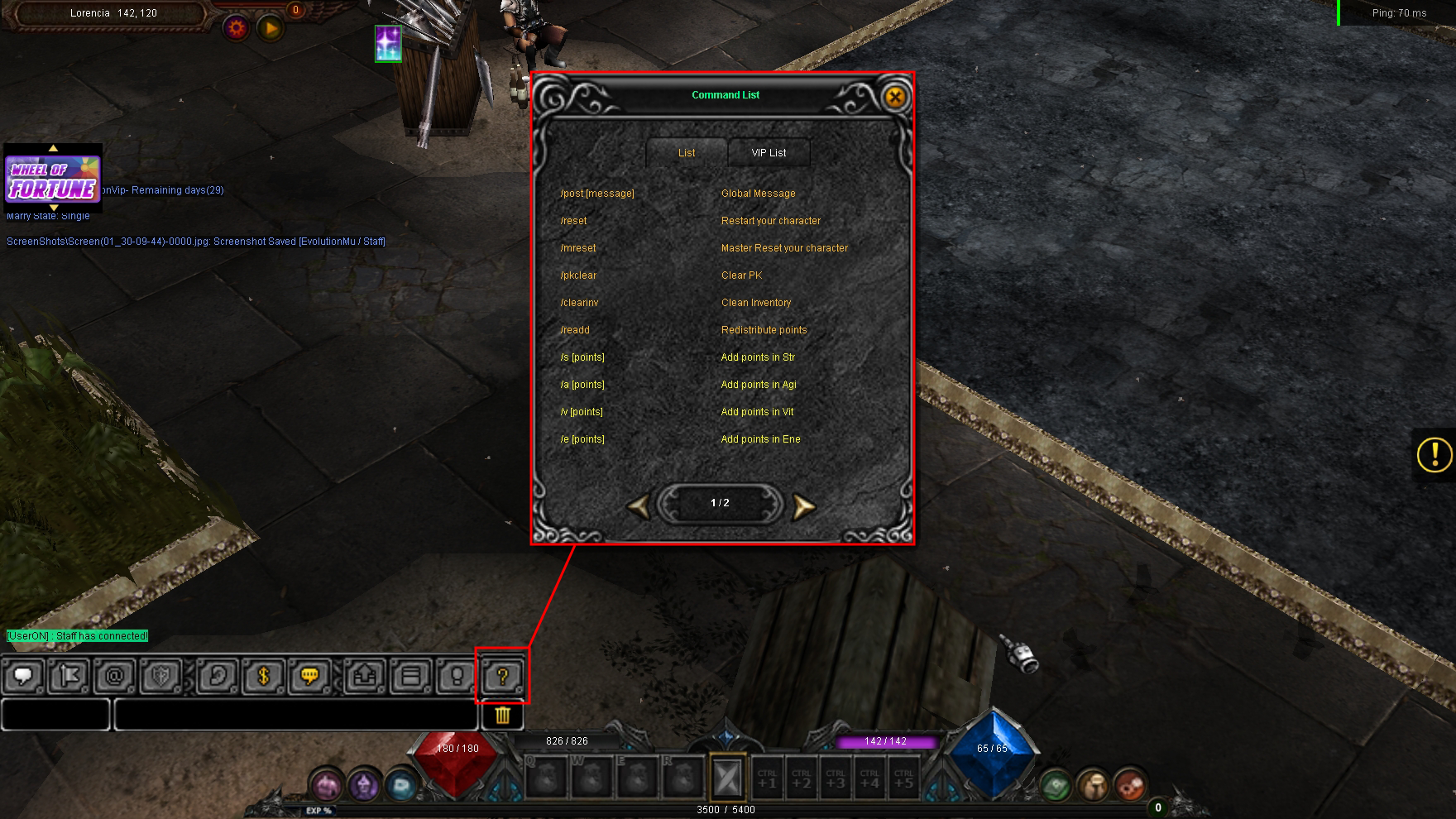
To view the complete list of available functions at any time, follow these steps:
1. Press the [Enter] key to activate the chat menu.
2. Click on the [?] symbol icon located on the chat toolbar.
3. The Command List window will open, where you can view all commands enabled for the user, including reset, point redistribution, and global message commands.